



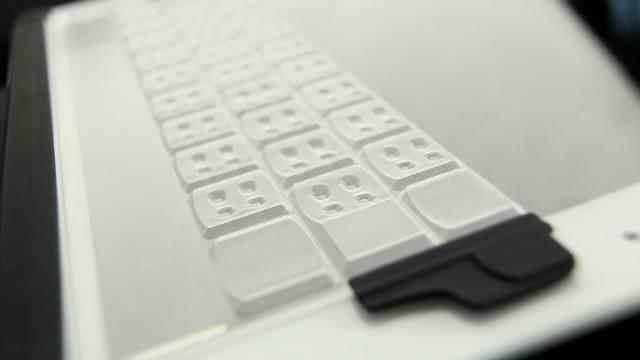
For touch-typists like myself, tablets such as the iPad present a bit of a problem. I still need a little more tactile feedback to my fingertips than the virtual keyboard can offer, if I'm going to speed through my messages without making errors. When veteran computer designer Steve Isaac was left similarly wanting, he decided to get creative. Along with Seattle product designer and mechanical engineer Brad Melmon, Isaac has designed a transparent, flexible faux keyboard that lays on top of the iPad's virtual keyboard to give users the familiar feel of notebook-like raised keys.
Isaac was one of the first employees at GO Corp, which was responsible for one of the world's first tablet computers and a mobile operating system called PenPoint. From there he went to work for Microsoft - on its first mobile operating system, Windows CE - but the tablet kept calling. He told Gizmag that he remembers being amazed when Apple released the iPad, and while the typing experience was better than anything else out there, he still felt that it could be better.
After developing a viability prototype of a tactile keyboard overlay for the iPad, he brought Melmon on board to help tweak the design.
"Brad needed to provide the right sort of force resistance for typing to feel really good, and at the same time make the device be thin, lightweight and flexible enough to basically disappear in the cover when not in use," says Isaac. "After working on this for a year, Brad had a design breakthrough that met all of these requirements, and TouchFire is the result."
Made from transparent silicone, the TouchFire keyboard is placed flat on the iPad's screen and lines up with the tablet's virtual keyboard in landscape mode. The designers say that being able to feel where the keys are means that users can type as fast and as accurately on an iPad as they would on a laptop, and touch-typers should never have to take their eyes off the message pane.
The keys have been reinforced with micro-structures to give the product some resistance against key strikes, and TouchFire can be attached to an iPad case when not in use via a pair of clips. The product will also be shipped with its own storage case.
Although the final product pricing has not yet been set, Kickstarter backers who pledge US$45 are effectively pre-ordering a TouchFire Standard Pack (which includes a keyboard, case and a couple of clips), so it's likely to cost somewhere close to that.
At the time of writing, TouchFire's crowd-sourcing appeal has more than doubled its production target, with a few weeks still to run. Isaac and Melmon are looking to start shipping the first keyboards out to backers in December, with the product being made commercially available in the early part of 2012.