

How to jailbreak iOS 6 (with Cydia) for iPhone 4 and iPod touch 4G
October 14, 2012
The chains have been broken ... at least for iPhone 4 and iPod touch 4G owners (chains: Shutterstock)
Image Gallery (6 images)The Northern Hemisphere autumn is usually a slow time for jailbreaking. Apple releases new iOS firmware, along with a shiny new iPhone – and both typically need time before they can be hacked. The members of the iPhone Dev Team, however, have given us a pre-Halloween surprise: they updated the jailbreak tool redsn0w to simplify the hacking of A4 iOS devices.
That means that owners of the iPhone 4, iPod touch 4G, and iPhone 3GS (pre-A4) are in luck. The instructions below will help you to break down the walled garden of iOS 6, and install the jailbreak app hub Cydia.
Update your device to iOS 6
The first (obvious) step is to be running iOS 6
If you aren't yet on iOS 6, this is the first step. The fastest way is to connect your device to iTunes, and follow the prompt to update.
Download Redsn0w
Redsn0w 0.9.15b1 is available at the following links for Mac OS X and Windows. Windows users will need to run it in Administrator mode. The Dev Team also advises Mac users to CTRL-click and choose open, but we found success by opening normally.
Follow the instructions
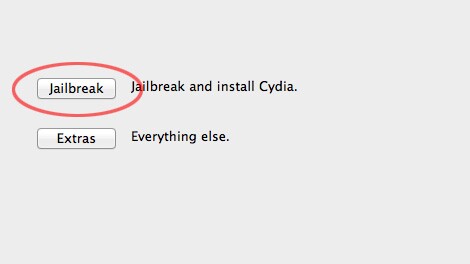
redsn0w's instructions are straightforward and clear
The directions in redsn0w are straightforward, so make sure your device is connected, open the app, and follow along. The first thing it will ask is to enter DFU mode, which involves holding and releasing the power and home buttons at precise times. Don't worry, though, as redsn0w guides you through the process.
Install Cydia
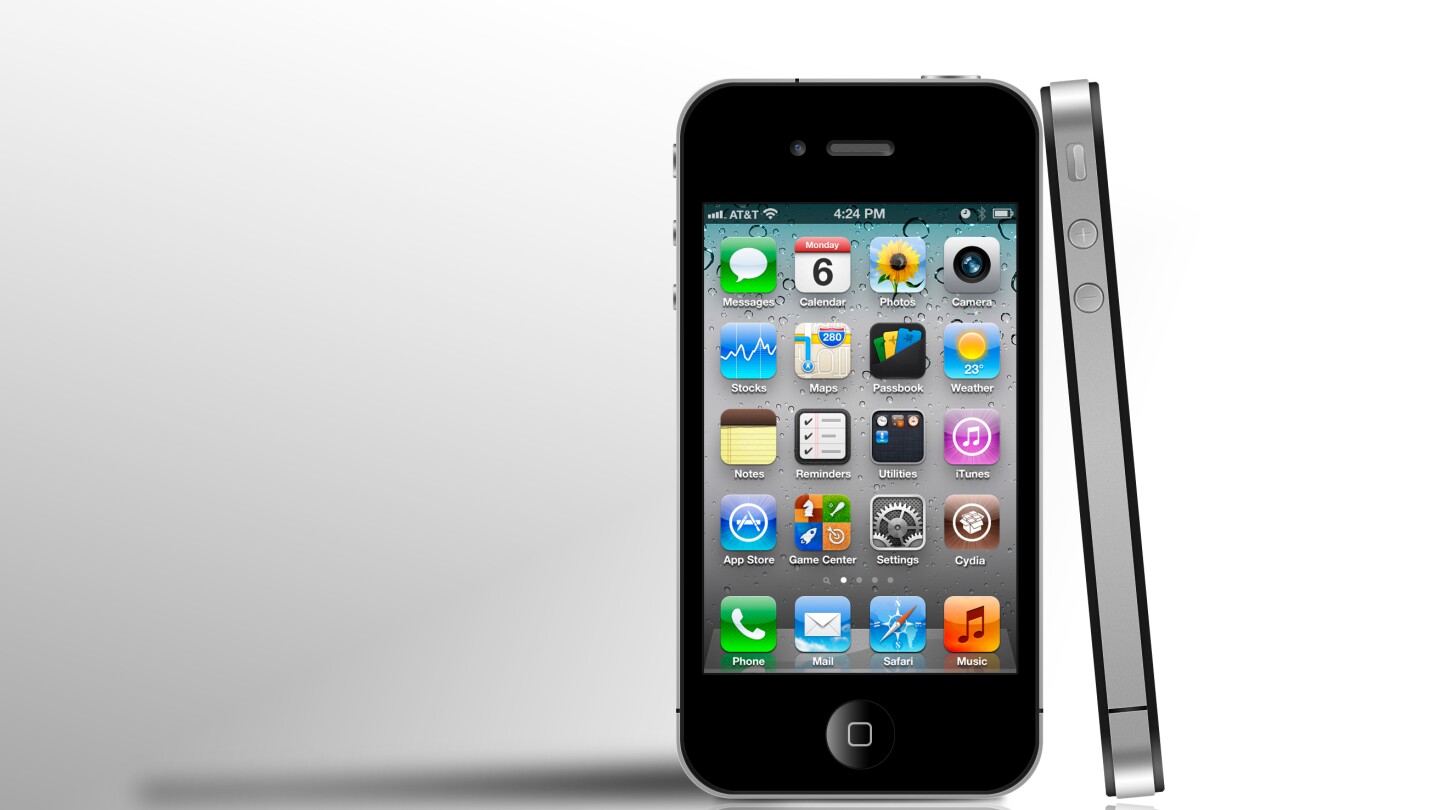
Now it's much easier to get Cydia on your iPhone 4
Unlike in earlier iOS 6 releases, redsn0w now automatically installs Cydia. When redsn0w's process completes, you'll see the jailbreak app store waiting for you.
Booting
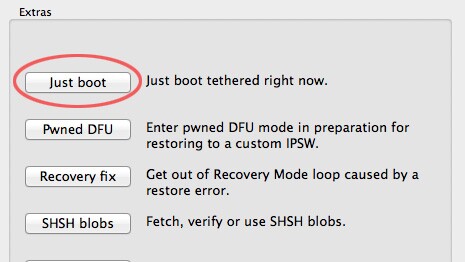
This is a tethered jailbreak. That means that every time you reboot, you'll need to connect your device to a PC and re-run redsn0w. For each tethered boot, just select Extras > Just Boot from the redsn0w menu.
Re-restoring
The developers left a bonus in this version: the jailbreak tool lets you "re-restore" to other firmwares. As long as you've saved your SHSH blobs (device identifiers stored locally or on a server) from a previous jailbreak, you can perform a clean restore to or from any version of iOS 5.
It may be some time until owners of newer (A5 and A6-based) iOS devices are able to jailbreak, but we'll keep you posted as soon as they're available. You can read more at the Dev Team's source link below.
It should be noted that this is a beta release, and that the Dev Team (nor us) provide any guarantees that it is 100 percent stable.
Source: Dev Team Blog

Will Shanklin covers mobile technology for Gizmag. He's previously written for Android Central, Geek, GottaBeMobile, Android Police, and The Huffington Post. He lives in New Mexico, U.S., with his lovely wife, Jessica.
All articles by Will Shanklin
Will I am thinking you need to go back and read the article again. "CYDIA WILL NOT BE INSTALLED because it just hasn’t had time to be updated to the new SDK."
This is just a jailbreak for developers that want to work on getting there tweaks and apps working with iOS6.
My posting this here you will provide more harm than help as the first thing you do is tell people to update to iOS6. In fact I am going to go as far and say this post was stupid. I would pull it if I was you.
"THIS JAILBREAK IS INTENDED ONLY FOR DEVELOPERS OF JAILBROKEN APPS! There are just too many broken components (Apple’s official apps, 3rd-party App Store apps, Cydia apps, etc) for this to be useful to anyone but those truly looking to fix bugs in their iOS 6 jailbroken apps."
>>>If you aren't yet on iOS 6, this is the first step.
Doh, So yank it before someone follows your stupid suggestion and does the first step!
Daniel Mutch14th October, 2012 @ 06:36 am PDT
Its starts jailbreaking but then it says "USB communication problem". What do I do?
Vidhaan Ohri17th October, 2012 @ 04:56 am PDT
My ipod was fully jailbroken, but I still don't have cydia :(
Shannon Boyes25th October, 2012 @ 01:42 pm PDT
I've just did the jailbreak to my iphone 4 (6.0) by following all the steps..............but cydia icon has not come to my home screen . please tell me how to get that.......
Karan Bathla2nd November, 2012 @ 03:45 pm PDT
tried to jailbreak my iphone 4 but redsnow said i was missing something for the build..please advise...
unkleDEX6th November, 2012 @ 09:40 am PST
PLEASE HELP!!!!! my iPod wont turn back on i didn't get it all the way through it kept saying i didn't do it right after releasing the buttons and i tried it a third time now my iPod won't turn back on someone HELP!?!?!?!
MichelleR20th November, 2012 @ 06:21 pm PST
It says i am missing something from the BUILD what do i do please help help help help help help help help help help help help help help please
Hi16th December, 2012 @ 08:02 pm PST
i've never jailbroken an iphone so i'm only commenting from what i've just been reading... for those of you with the "something missing from the build problem" google how to jailbreak my iphone 4 and there is a link there to the updated redsnow jailbreak... at the end it tells you to go back in to DFU mode, select extras from the jailbreak menu in redsnow and then select "just boot" apparently once you've ran throught the whole thing, you have to "reboot" with the just boot option... something to do with it being a tethered jailbreak... hope this helps if you haven't already fixed your problem...
Nikki Turner7th January, 2013 @ 09:33 pm PST
Thanks for the instructions above but for those who need help in jailbreaking their devices, check this website out. http://jailbreakhome.com/ - its very informative and you will learn a lot about jailbreaking.
Adam Daieh21st January, 2013 @ 11:57 am PST
Thanks for this, I was able to successfully jailbreak my phone. Now I'm going to install Cydia and get great apps and tweaks
Adam Daieh18th March, 2013 @ 12:25 pm PDT
hello,
my iphone 3gs have jailbreak and cydia two yeaars ago but last time i can not install app. show me something ioss6 and i can not update or do dounwload :( please can help me please?
Cell Luzeiro13th April, 2013 @ 06:04 pm PDT
works in a 3gs??
Cell Luzeiro13th April, 2013 @ 06:19 pm PDT
HELP!
Mine completed but then it said this:
Missing Keys.plist data for this build
Device: iPhone 4
ICID: 3539205418286
Build: iPhone 3, 1_6.1.3_10B329
How do i get it jailbreak my phone?
Nicole Jean2nd May, 2013 @ 06:48 am PDT
You have to download iPod4,1_6.0_10A403_Restore.ipsw then go to extras in redsnow and use it in "select ipsw"
John Smith16th May, 2013 @ 09:35 am PDT
Or Login with Facebook:
Just enter your friends and your email address into the form below
For multiple addresses, separate each with a comma
Privacy is safe with us because we have a strict privacy policy.


Don't forget that this is for the iPhone 4, NOT the 4s
Lee Storm14th October, 2012 @ 03:23 am PDT