
Computers
Continuous breakthroughs are bringing ever more powerful computers at ever-diminishing prices and enabling revolutionary related technologies, such as deep learning, artificial intelligence, autonomous vehicles and mind-reading machines. New Atlas keeps you up to date with the latest developments.
Latest News
-

Logitech lets users cook GPT shortcuts into its mice and keyboards
April 18, 2024Logitech has introduced new software that gives users of its peripherals easy access to ChatGPT. After matching the feature to a keyboard key or mouse button, the user can quickly tap into the power of GPT via preset or custom recipes. -

Hold on: World's fastest AI chip will massively accelerate AI progress
March 17, 2024If you think things have happened fast in the last year, hold on: Cerebras Systems present the Wafer Scale Engine 3 (WSE-3) chip, which powers the Cerebras CS-3 AI supercomputer with a peak performance of 125 petaflops. It’s scalable to an insane degree. -

Portable 'transflective' LCD monitor uses the Sun as its light source
March 12, 2024Backlit monitors can be harsh on the eyes, causing some people to suffer from eye strain. Introducing the Eazeye Radiant, the world's first portable monitor to incorporate transflective LCD to effectively use natural light as a light source. -

Dual-monitor laptop setup boasts simple connection and multiple uses
March 12, 2024If Apple made a dual monitor system for laptops, it might be a lot like the S2. The setup features aluminum construction, one-cord connectivity, and the ability to be used in five different configurations. -

Software tweak doubles computer processing speed, halves energy use
February 22, 2024Existing processors in PCs, smartphones and other devices can be supercharged for enormous power and efficiency gains, according to UC Riverside. With no changes to hardware, this new approach to the software squeezes extra juice out of your system. -
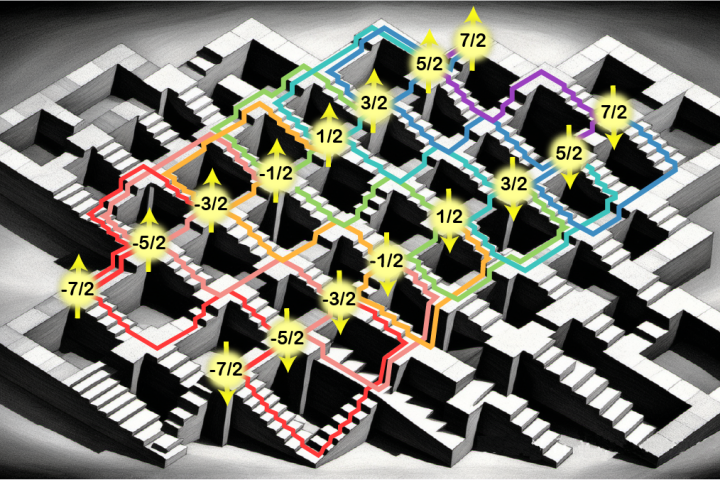
Quad-storage method writes data to a single atom in four different ways
February 19, 2024You can cram much more quantum processing power into a given space if you use four different ways to store data on a single atom, according to new research. The method unlocks more powerful quantum computers that are easier to control. -

Priceless barn find: World's first microcomputers discovered by cleaners
February 19, 2024Two of the first-ever desktop computers have been found in storage boxes at Kingston University in London. A milestone in human achievement, the Q1 microprocessor computer was released more than half a century ago, and only one other is known to exist. -

Neuralink fits its first human patient with a brain interface
January 29, 2024"The first human received an implant from Neuralink yesterday and is recovering well." Elon Musk has announced a milestone moment at his brain-machine interface company, after a surgical robot successfully installed its first human brain chip. -
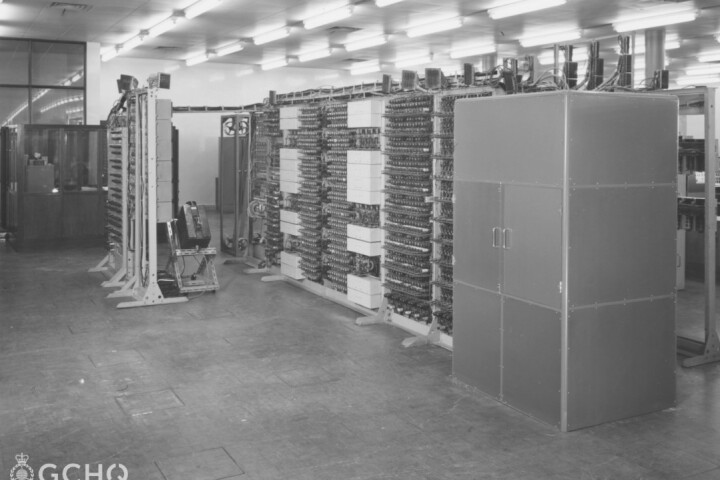
British spy agency releases previously secret images of Colossus computer
January 22, 2024Britain's hush hush Government Communications Headquarters (GCHQ) intelligence and security organization has released new images never before made public of Colossus, the world's first digital electronic computer, to mark its 80th anniversary. -

LG's latest gaming monitor boasts refresh rate quick switching
December 21, 2023CES 2024 is fast approaching, and some consumer tech companies are teasing stuff early. LG has announced new additions to its UltraGear line of gaming monitors, including one that allows users to switch between 240-Hz 4K and 480-Hz HD using a hotkey. -

World's first human brain-scale neuromorphic supercomputer is coming
December 13, 2023Australian researchers are putting together a supercomputer designed to emulate the world's most efficient learning machine – a neuromorphic monster capable of the same estimated 228 trillion synaptic operations per second that human brains handle. -
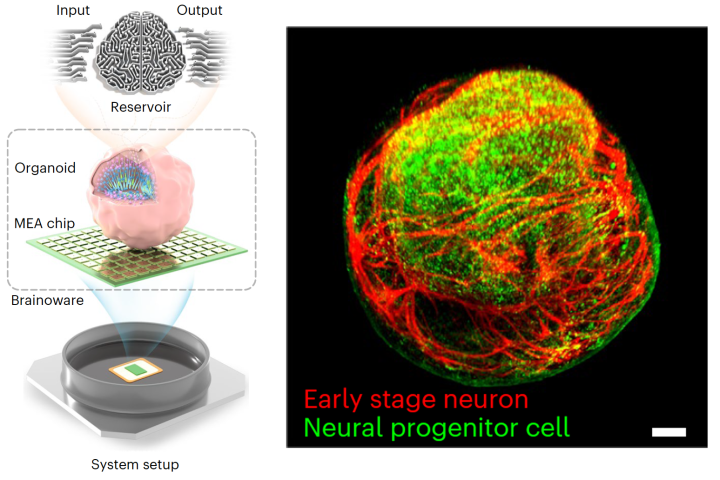
Cyborg computer with living brain organoid aces machine learning tests
December 12, 2023Scientists have grown a tiny brain-like organoid out of human stem cells, hooked it up to a computer, and demonstrated its potential as a kind of organic machine learning chip, showing it can quickly pick up speech recognition and math predictions. -

Lenovo unveils ultra-compact Chromebox media player
December 08, 2023Lenovo has announced its first Chromebox to boast a micro form factor. Coming in at about the same size as two stacked iPhone 15 Pro Max handsets, it's has been designed for 24/7 operation in digital signage and kiosk displays. -

Mini PC rocks detachable Bluetooth speaker out front
December 01, 2023Chinese compact computer maker SoonNooz has launched an interesting model called the Mini, which has a stunning retro vibe but features a front section that can be removed from the main body to serve as a Bluetooth speaker. -

Fiio crams dual hi-fi DACs in a mechanical keyboard
November 23, 2023There's a good chance that the headphone jack of your laptop or PC doesn't offer stellar plugged-in audio quality. Chinese hi-fi brand Fiio is aiming to offer a significant quality boost with a mechanical keyboard rocking its own DAC/headphone amp.
Load More